
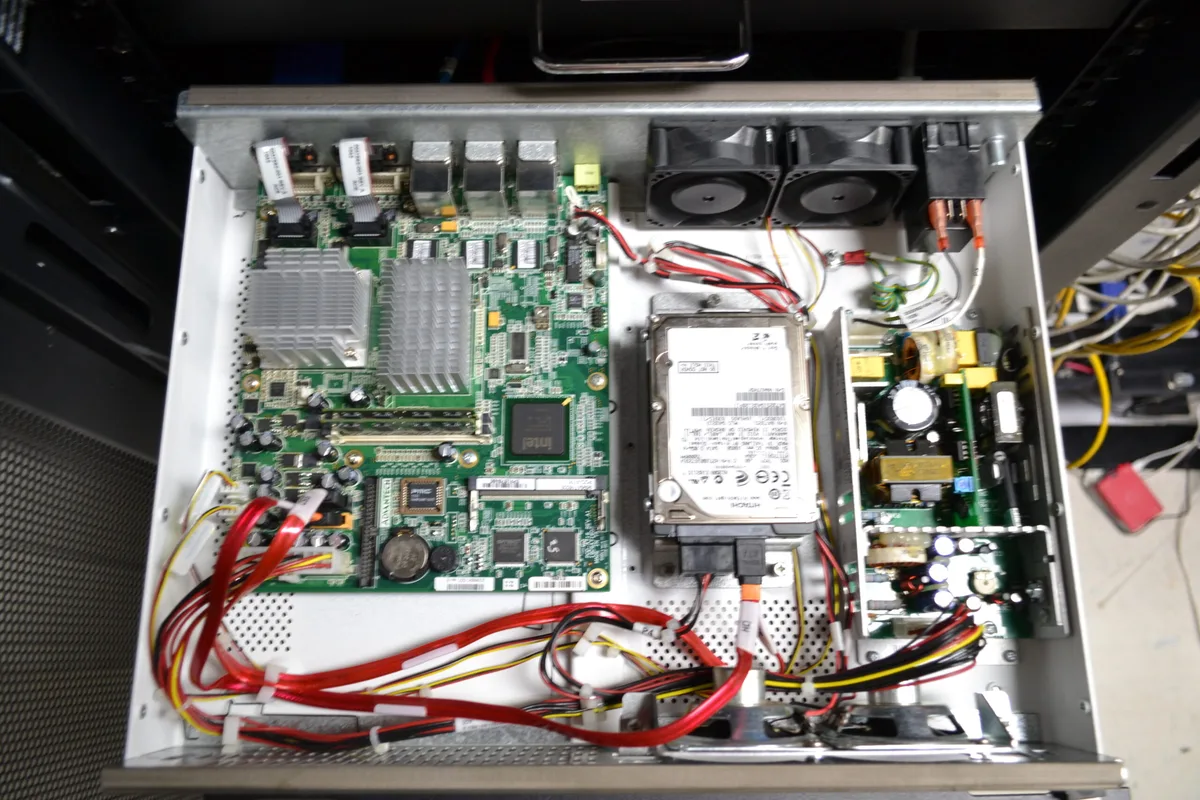
Carescape™ MP100D / MP100R Cooling Kit
Clinical Technology Solutions is proud to offer the Cooling Upgrade Kit for the GE HealthCare Carescape™ MP100D CIC and Carescape™ MP100R Telemetry Server.
- Reduce the operating temperature of the unit
- Increase the life of the unit
- Reduce the cost of ownership of these units
- Reduce downtime
This is achieved by adding a simple fan to the unit without any hardware modification — a 10-minute installation.
Measured Results
- MP100 running without CTS CPU cooling (10 minutes): CPU temperature 67°C
- MP100 running with CTS Cooling Kit (10 minutes): CPU temperature 44°C — CPU is 23°C / 41°F cooler and the case is 7°C / 12°F cooler than the MP100D without the cooling kit
Installation (10-Minute Installation)
- Shut down the central station
- Unplug the power cord from the unit
- Open the MP100 case by removing all the case screws on the side
- Vacuum and clean out the unit prior to installation, if necessary
- Locate the CPU heatsink
- Install the fan on top of the heatsink by pushing it on — make sure it is square to the heat sink
- Plug the fan into the CPU fan power connector located on the board between the CPU and memory
- Replace the top cover
- Power the Carescape™ MP100D / MP100R unit back on — installation complete
Run Cooler, Last Longer
Installing and using the Cooling Kit on your MP100D and MP100R units will keep them running cooler, increase the life of the hardware, and decrease downtime. Contact Clinical Technology Solutions today for more information or to get started.